
1 / Upload
Bring the files you have.
Upload an OM, rent roll, or T-12. Atlas extracts the property facts and financials for your review.
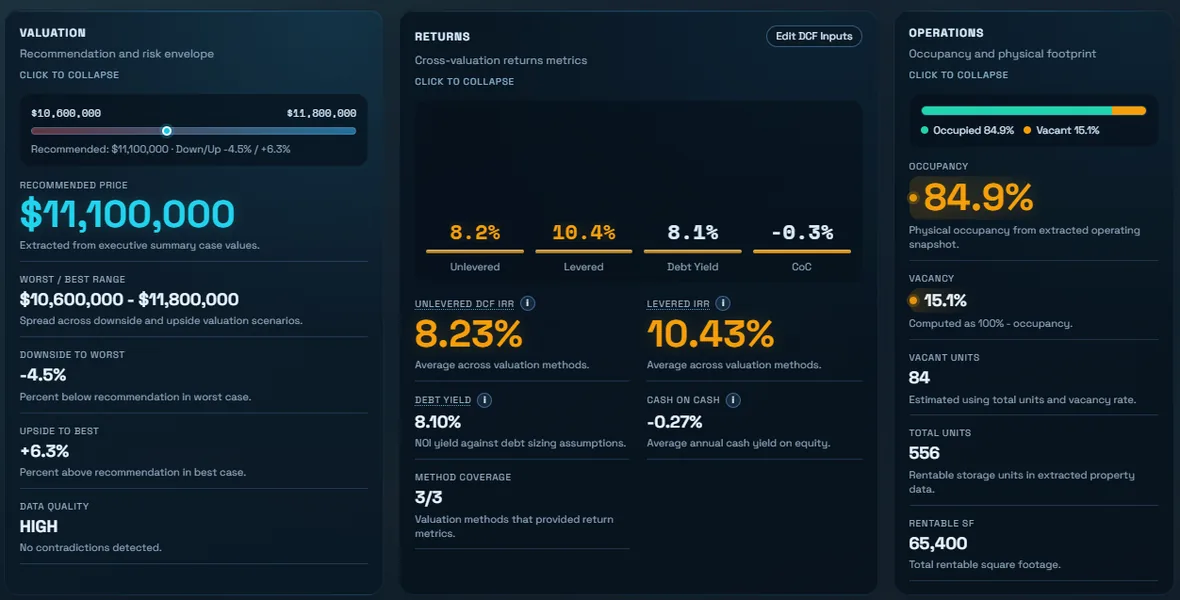
Atlas reads the OM, rent roll, and T-12, maps the local market, compares rents with nearby competitors, and recommends a price, with the evidence, so you don't have to take a broker's word for it.
10 free credits: three moderate-depth evaluations. No card.
Upload → Atlas analyzes → Review and decide.
Upload an OM, rent roll, or T-12. Atlas extracts the property facts and financials for your review.
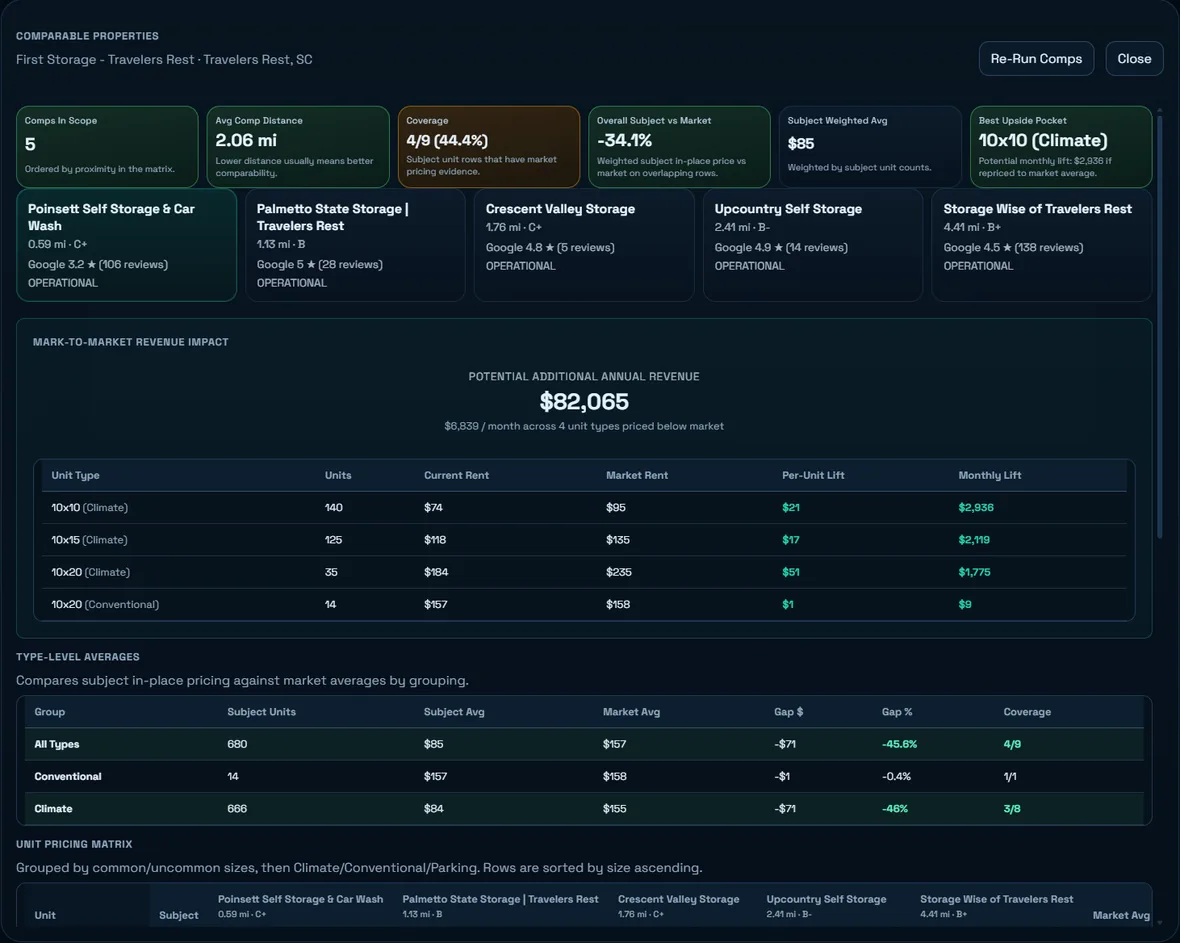
Atlas studies nearby demand, compares competitor rents, and evaluates the price using three valuation methods.
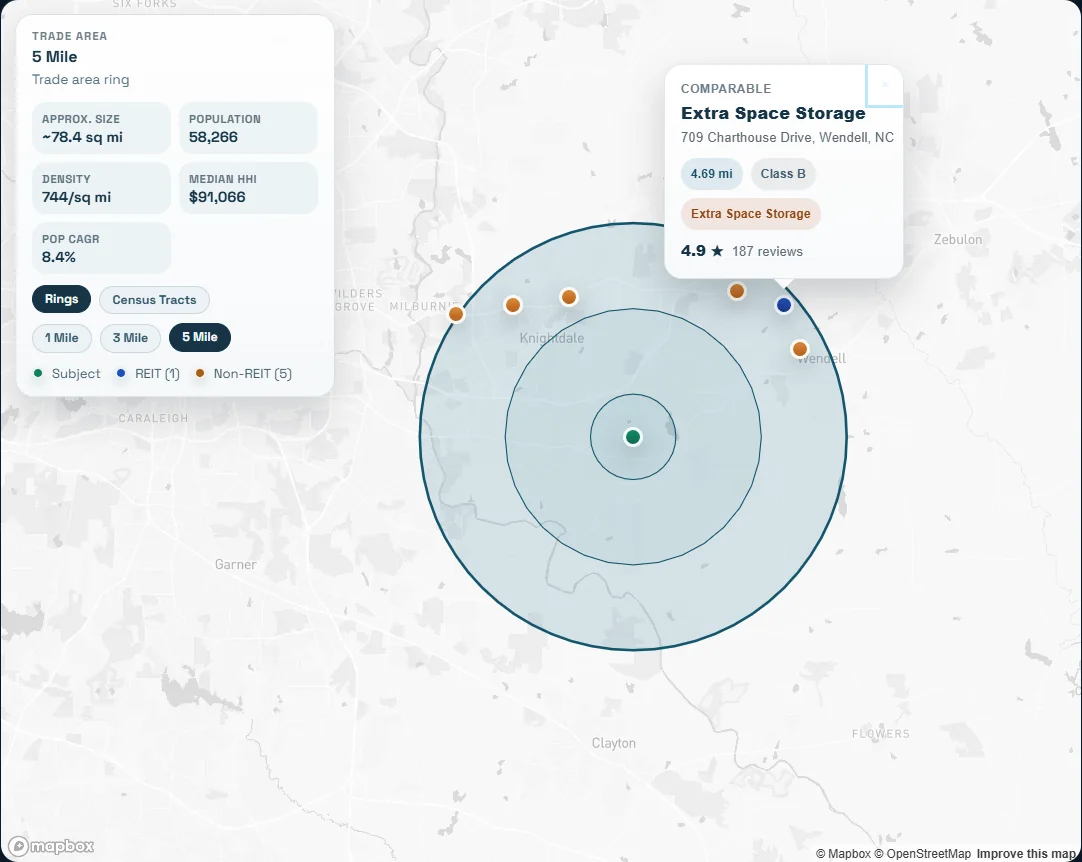
Review rent comps and the recommendation, run scenarios, and choose the next step for the property.
See the evaluated recommendation with downside and upside values, plus the assumptions behind it.
Connect local population, households, and income to nearby competitor pricing. Geography and data gaps stay visible.
Read the executive summary and valuation reports, run scenarios, draft an LOI, or prepare a property listing.
Download a sample from the product demo. Its property and values are illustrative; the reports show how the evidence fits together.
Review the evidence, test your assumptions, and take a supported offer to your partners or lender.
See the buyer path →Understand the value and rent upside, then prepare the property for buyers when you are ready.
See the seller path →A credit is a unit of evaluation usage. Quick evaluations use 1 credit, moderate use 3, and in-depth use 10. New deals default to moderate depth.
Ten free credits cover three moderate evaluations with one credit left. You choose the depth before each run.
Atlas is purpose-built for self-storage today, with multifamily coverage expanding.
A credit is a unit of evaluation usage. Quick evaluations use 1 credit, moderate use 3, and in-depth use 10. New deals default to moderate. Credits cost $3 each when purchased in a pack.
No. You receive 10 free credits: enough for three moderate-depth evaluations with one credit left. Activate your workspace by email. No card or sales call is required.
Use the valuation and market evidence to decide whether to buy, sell, or hold. You can review the reports and run scenarios before choosing a next step.